01
Invite people by email
Each teammate uses their own verified account. Invitations are intended for the named email recipient, rather than a shared team login.
THE RIGHT PEOPLE. THE RIGHT PROJECT.
Construction team management software for inviting teammates, assigning project access and choosing which records they can view or edit.
Bring the field and office into a shared workspace while keeping access aligned with each person’s responsibilities.
Free plan available · No card needed
TEAMWORK WITH A CLEAR STRUCTURE
Give teammates a way to contribute without opening every project or record to everyone.
Each teammate uses their own verified account. Invitations are intended for the named email recipient, rather than a shared team login.
Connect people to the projects they need. Membership in a business does not automatically give a teammate access to every project.
Choose view and edit access for available modules. Review permissions as responsibilities change, and suspend or remove access when needed.
ONE PLACE FOR PROJECT WORK
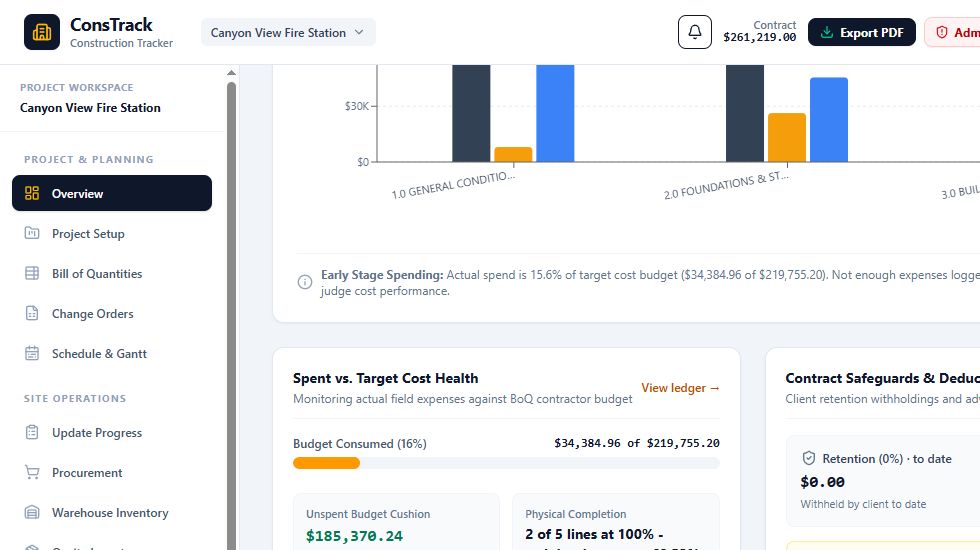
Explore a sample project workspace to see the progress, expense and billing records your authorized teammates can work with.
ConsTrack / Sample project workspace
FROM THE SITE TO THE OFFICE
Connected project workspaces receive saved updates automatically. Field teams can submit reports and authorized admins can follow project activity in the same workspace.
Project assignments and permissions determine access. A job title alone does not grant authority. Review downloaded or shared copies separately, because in-app permissions do not control files after export.
BEFORE YOU INVITE YOUR TEAM
Yes. Teammates should use their own verified accounts. A personal invitation must be accepted using the invited email address. Do not share sign-in credentials.
Yes. Available module permissions let administrators choose view and edit access for a teammate’s assigned project. Review the actual permission settings before granting access.
No. Project assignments and permissions determine access. Business administrators manage the relevant assignments and permissions.
An authorized administrator can suspend project access or remove an invited member. Historical reports and transactions remain; removing access does not erase the business’s records or copies already downloaded.
The free plan includes one project with the owner and one additional person per project. The advertised paid plan includes the owner plus five additional people per project. Storage limits and purchased entitlements apply.
START WITH ONE PROJECT AND A TEAMMATE
Try ConsTrack free, invite a teammate and bring your field and office records together.